The map for your class, daycare group or club
Who from the class, the daycare group or the club lives nearby? Parents mark where their child lives and see the kids in the neighbourhood.
Create a new groupEvery group has its own link and PIN. Already got a link? Just open it.
See an example: Class 1A
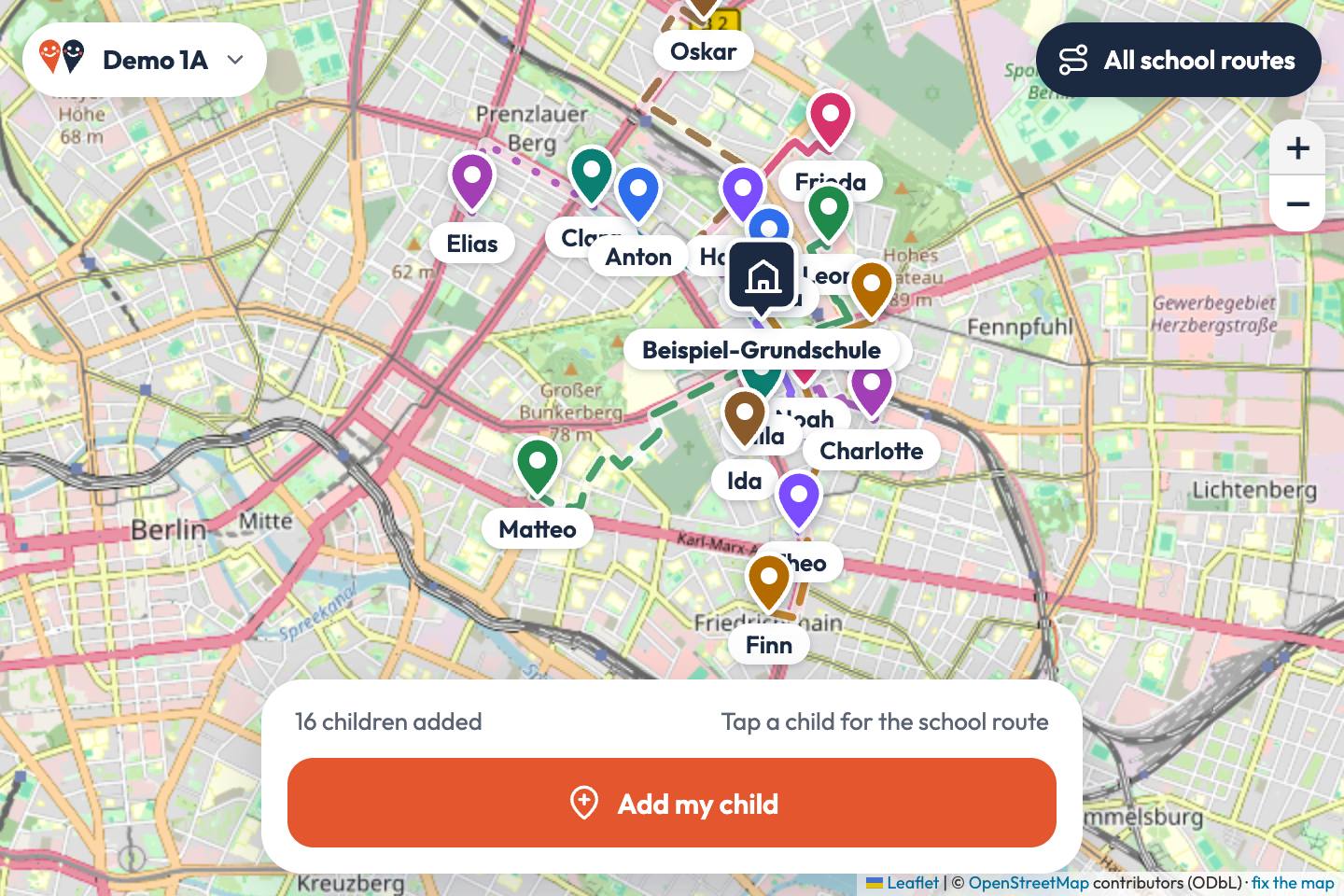 Try the example map
How it works
Create a group
One person sets up the map: search for the school, daycare or club and give the group a name. The PIN is rolled for you, the links arrive by e-mail.
Share the link and PIN
Send both to the parents of your group, for example in the class chat. Nobody needs an account or an app.
Add your child and find neighbours
Parents place a marker roughly where their child lives. The map shows who lives nearby and the way to school, daycare or training: on foot, by bike or by car.
What parents use the map for
- Playdates: see which kids live just around the corner.
- Walking to school together: form walking groups for kids who share a route.
- Organise car pools to daycare, training or a tournament.
- New in the class or the club: quickly find families in the neighbourhood.
Privacy in brief
- No accounts, no ads, no tracking, no cookies.
- Only those who have the group’s link and PIN see the entries.
- A first name and an approximate spot are enough. No exact address is needed.
- The database is hosted by Cloudflare under EU jurisdiction.
- Entries can be deleted at any time. Groups nobody opens for twelve months are deleted automatically.
Frequently asked questions
What is Kids Nearby?
Kids Nearby is an online map for school classes, daycare groups and clubs. Parents mark roughly where their child lives and see which kids from the group live nearby and what their way to school, daycare or the club looks like.
What does Kids Nearby cost?
Nothing. Kids Nearby is free and has no ads.
Do we need an account or an app?
No. The map runs in the browser on phones, tablets and computers. Whoever creates the group enters an e-mail address and receives the link to the map and a link to manage it. Everyone else only needs the link and the PIN.
Which groups is Kids Nearby for?
For school classes, daycare groups, clubs and teams, and for any other group of families that meets at a fixed place.
Who can see the entries?
Only those who have the group’s link and PIN. Without the PIN, only the place and the name of the group are visible. The maps are not public and are closed to search engines.
What data is stored?
For each child the name that was entered (ideally just the first name), a colour, the marker and the route to the meeting place. The marker does not have to be exact: somewhere near home is enough. We store the e-mail address of the person who creates the group; it is not shown on the map.
How long is the data kept?
Every entry can be deleted right on the map, the whole group through the manage link. Groups that have not been opened for twelve months are deleted automatically; an e-mail is sent about 30 days before. Deleted data is removed for good after 30 days.